
Public report sharing
Reports are most useful when stakeholders can read them. Scout's public-share system gives you a unique read-only URL for any report — your client, founder or board doesn't need an account, just the link.
How sharing works
-
Open any report
Sidebar → Reports → click any past report, or generate a new one.
-
Click "Share"
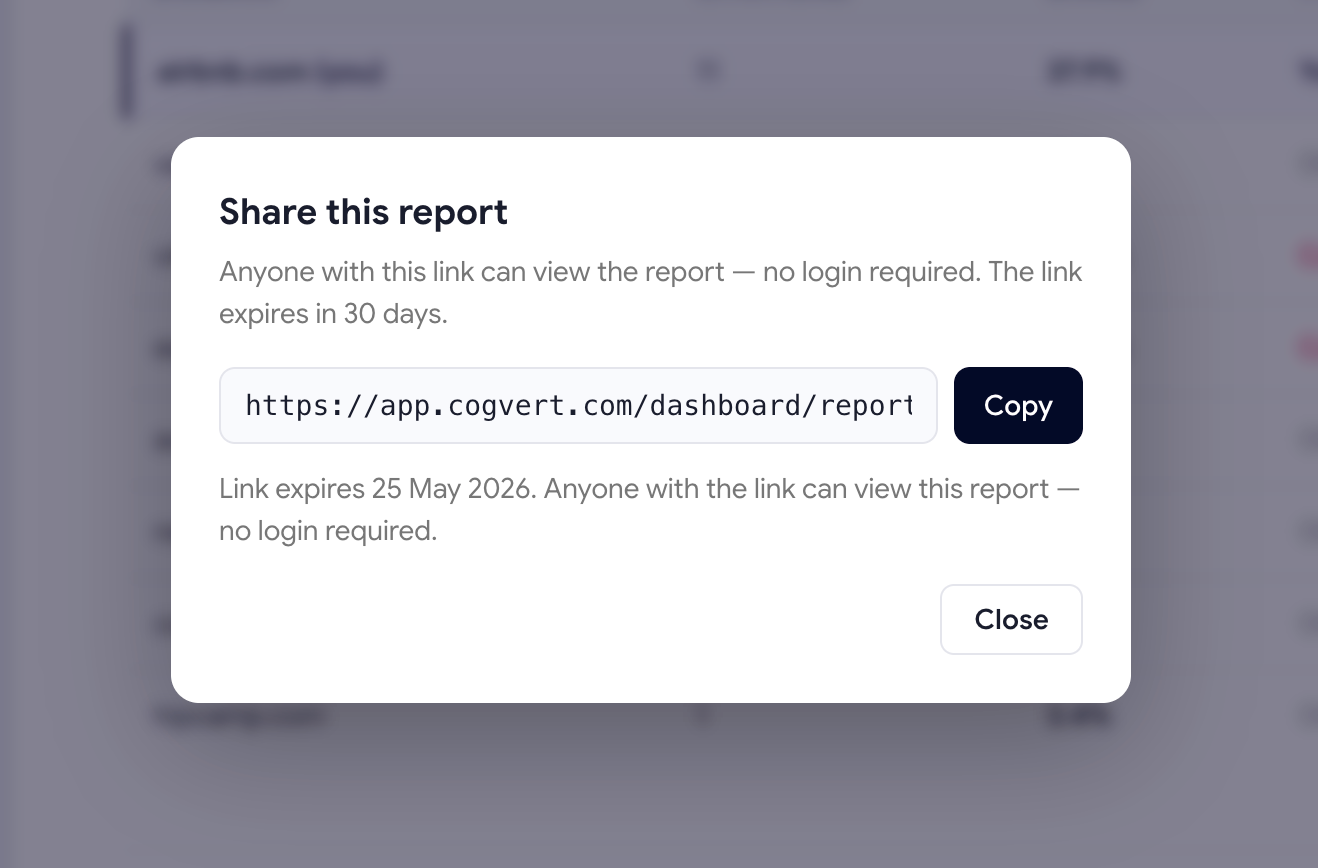
The Share dialog appears with a freshly generated public URL containing a long random token.
-
Pick the time window and TTL
Choose 7, 30 or 90 days of data and how long the link should stay live (default: 30 days).
-
Copy the URL and send it
The recipient just clicks the link — no login, no signup, no Scout account needed.
What the recipient sees
The shared report shows everything the logged-in version shows:
- Visibility Score with trend
- Per-LLM scorecards
- Visibility Trend chart
- Demand Coverage module (top demand prompts + most expensive gaps)
- Top 10 Prompts performance per LLM
- Competitor leaderboard
- Top cited pages and domains
What's hidden: the dashboard sidebar, header actions, the "Run scan" button — anything that requires authentication. The report itself is fully self-contained.
Security
Every share link uses a 48-character random hex token (2192 possible values).
Sequential IDs are never exposed. Even if someone has one of your share URLs, they can't enumerate or guess others.
- Revocable instantlyClick Revoke in the Share dialog and the URL stops working immediately. No 24-hour cache, no propagation delay.
- Auto-expiresLinks expire after the TTL you set (1–365 days). Expired links return a 401 error.
- View-countedScout tracks how many times each share link has been opened, so you know if a stakeholder actually clicked through.
- Read-only by designShare viewers can't edit anything, run scans, or see other reports. The token is scoped to one report only.
When to use share links
| Use case | TTL recommendation |
|---|---|
| Weekly client update | 14 days (long enough for them to circle back) |
| Board / investor update | 30 days |
| Sales-deck embed | 90 days |
| One-off founder review | 7 days |
The shared report URL is just a regular web page — embed it as an iframe in Notion, Coda or any deck tool. Stakeholders see the live report instead of a frozen screenshot.
Was this page helpful?
Thanks for the feedback — we read every response.