
Set up prompts
Prompts are the engine of Scout. Every prompt is a question Scout will ask ChatGPT, Gemini, and Perplexity on every scan — and every answer becomes a row in your visibility data. Good prompts produce a useful dashboard; sloppy prompts produce noise.
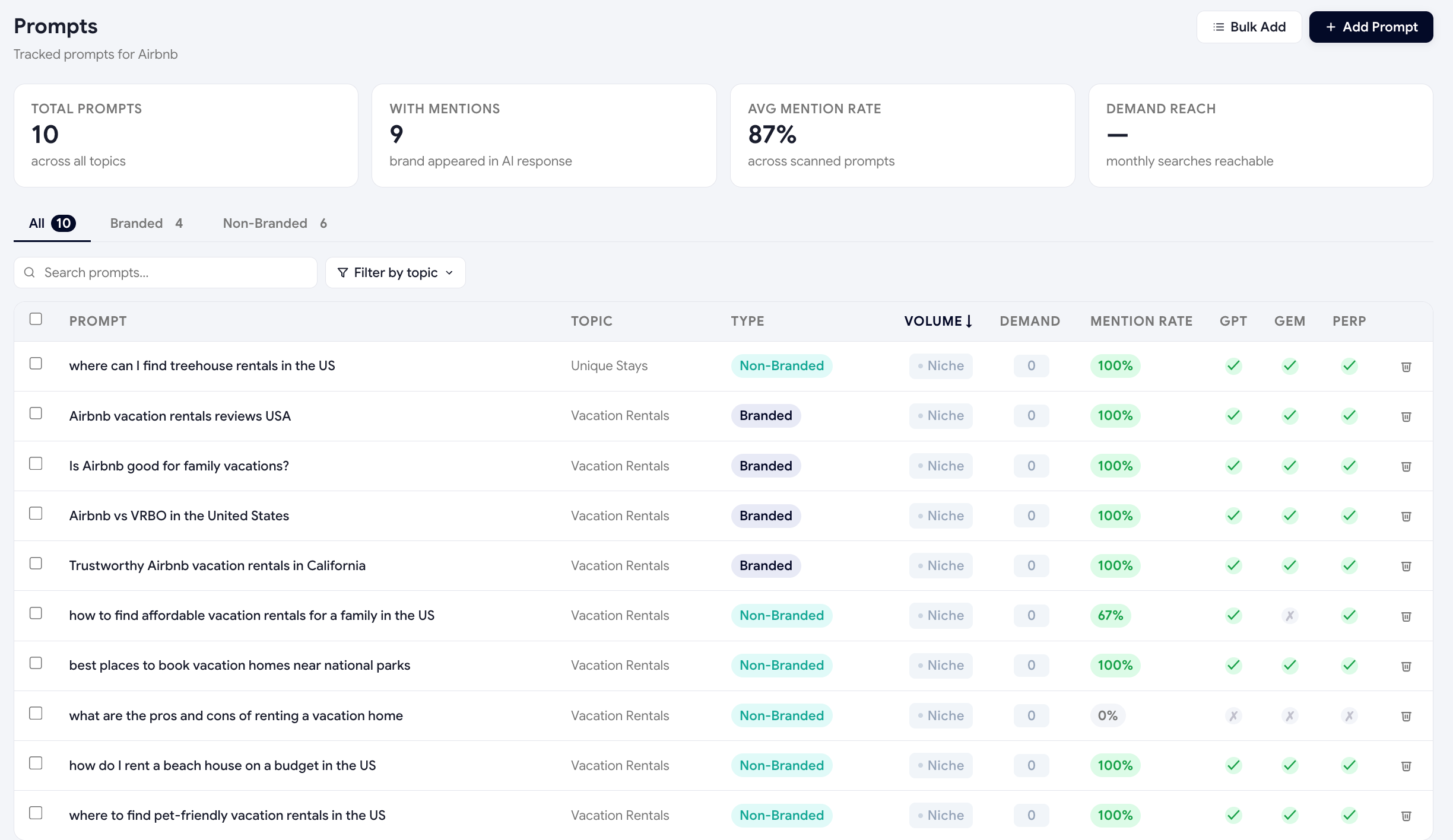
Volume & Demand columns
Every tracked prompt now shows two new columns powered by real Google Keyword Planner data:
- VolumeCombined monthly Google searches across this prompt's underlying keywords. The bigger the number, the bigger the market opportunity if you win this prompt.
- DemandA 0–100 logarithmic score of the volume above. Color-coded: gray (Niche) → yellow → orange → green (Excellent). Click the column header to sort by it.
If you're approaching your plan's prompt limit, sort by Demand ascending and drop the lowest-scoring prompts — they're consuming a slot for a market nobody is searching.
What makes a good prompt
- It's a real buyer questionPhrase it the way an actual customer would ask it — not the way you describe your product on a sales call.
- It's open-ended"What's the best X" beats "Tell me about X" because it forces the AI to make a recommendation.
- It targets a topicEach prompt should clearly belong to one of your topics — that's how the dashboard groups them.
- It's not your brand nameResist the urge to ask "What is Cogvert Scout?" — those answers are easy wins and don't tell you anything new. Focus on category-level questions where competition is real.
Prompt patterns that work
| Pattern | Example |
|---|---|
| Best-of question | "What's the best headless CMS for Shopify in 2026?" |
| Comparison question | "Contentful vs Sanity vs Strapi for a startup — which is right?" |
| Use-case question | "How do I add a blog to my Shopify store with a separate CMS?" |
| Pricing question | "Is Sanity CMS free for small projects?" |
| Integration question | "Does Contentful work with Next.js and Vercel?" |
| Pain-point question | "Why is WordPress slow for product catalogues over 10,000 SKUs?" |
How to add prompts
-
Open the Prompts page
Sidebar → Prompts. You'll see every prompt grouped by topic with its Volume + Demand metrics.
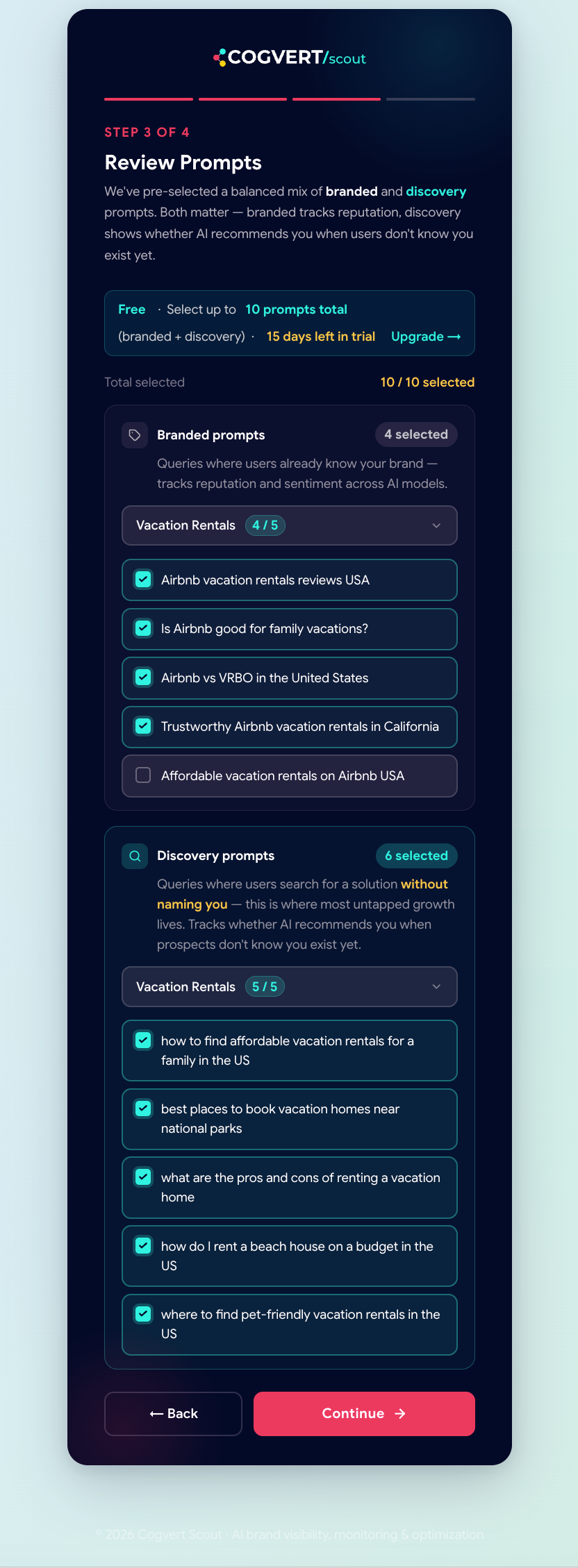
During onboarding you can pick from AI-generated prompts before adding them in bulk. -
Generate a starter set
Click Generate with AI. Scout reads your brand description and topics, asks an LLM to brainstorm 20–30 buyer questions per topic, and shows them as a checklist. Tick the keepers, click Add.
-
Add your own
Click + Add prompt, paste the question, pick a topic, save. There's no character limit but sub-150 characters works best.
-
Discover prompts from real data
If you've connected Search Console or unlocked Reddit discovery, the Prompt Discovery page shows real questions buyers are asking — one click adds them as Scout prompts.
How many prompts you need
| Plan | Prompts | Best for |
|---|---|---|
| Free | 5 | Trying Scout, validating the data. |
| Starter | 75 | Solo founders & small marketing teams. |
| Growth | 200 | Mid-market B2B with multiple product lines. |
| Premium | 350 | Agencies and brands with complex buying journeys. |
Start with 20–30 high-quality prompts spread across your top 3 topics. Run a scan, see which prompts produce useful insights, and add more from there. A focused 30 will tell you more than a sprawling 200.
Keeping prompts fresh
AI buyer questions evolve as the market does. Set a quarterly reminder to review your prompt list:
- Delete prompts that always return the same answer (no signal).
- Add prompts inspired by sales calls — what's the latest objection you're hearing?
- Run Prompt Discovery against new GSC queries every month.
Was this page helpful?
Thanks for the feedback — we read every response.