
The Optimize Hub — turning data into action
Insight without action is just a dashboard you check once a week. The Optimize Hub is the page where Scout converts your visibility data into a prioritised, channel-specific to-do list — so you always know what to ship next.
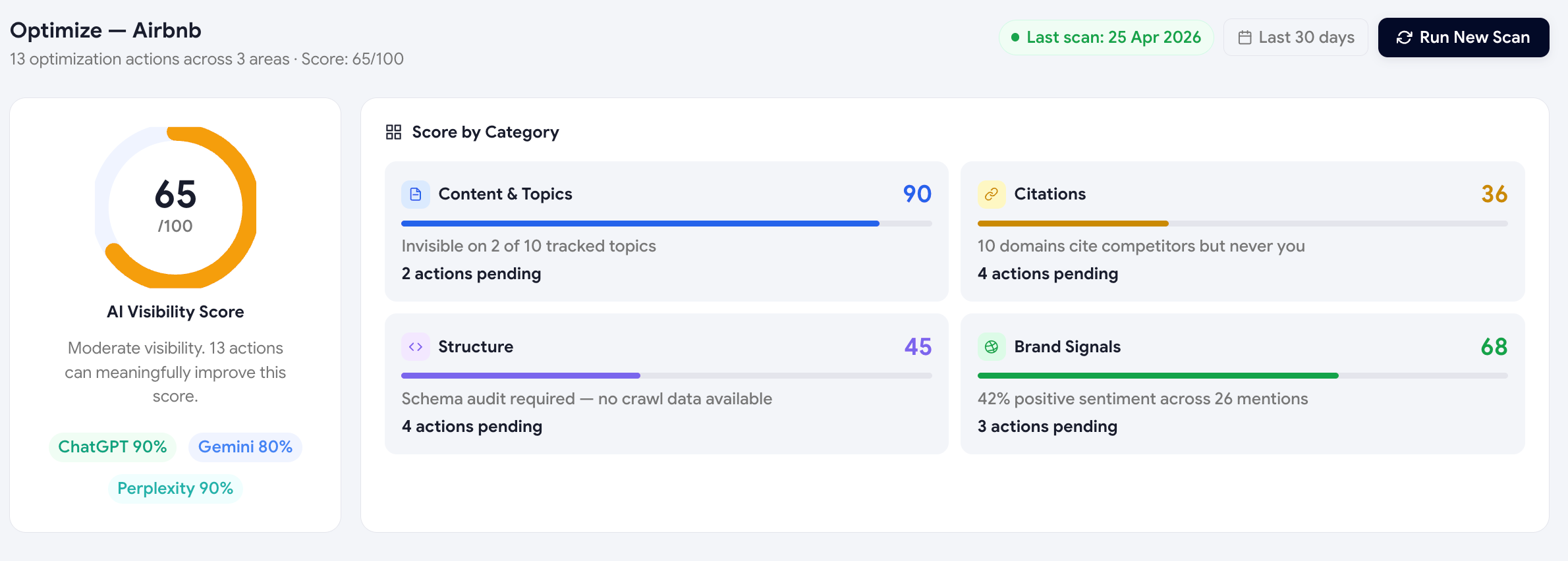
The hub-and-spoke design
The Optimize page is built as a hub (this index page) plus five spokes, one per action channel:
Content Suggestions
Pages to write, sections to add, comparison posts to publish.
Technical Suggestions
Schema, structured data, AI-crawler readiness — including AI Audit recs.
Citation Suggestions
Where to get listed, which roundups to pitch, which directories to claim.
Reddit Suggestions
High-intent threads where a helpful, non-spammy reply can earn an AI citation.
LinkedIn Suggestions
Posts, articles, and hashtag sets generated for your audience and topics.
The score ring & pillar grid
At the top of the hub you'll see two summary widgets:
- Score ring — your current Visibility Score with delta vs last scan.
- Four-pillar grid — a per-pillar score for Mention Rate, Recommendation Rate, Position, and Sentiment, so you instantly see which pillar needs the most attention.
Each pillar links to the spoke that's best for moving it. For example, low Mention Rate links straight to Content Suggestions; low Sentiment links to AI Responses (negative filter).
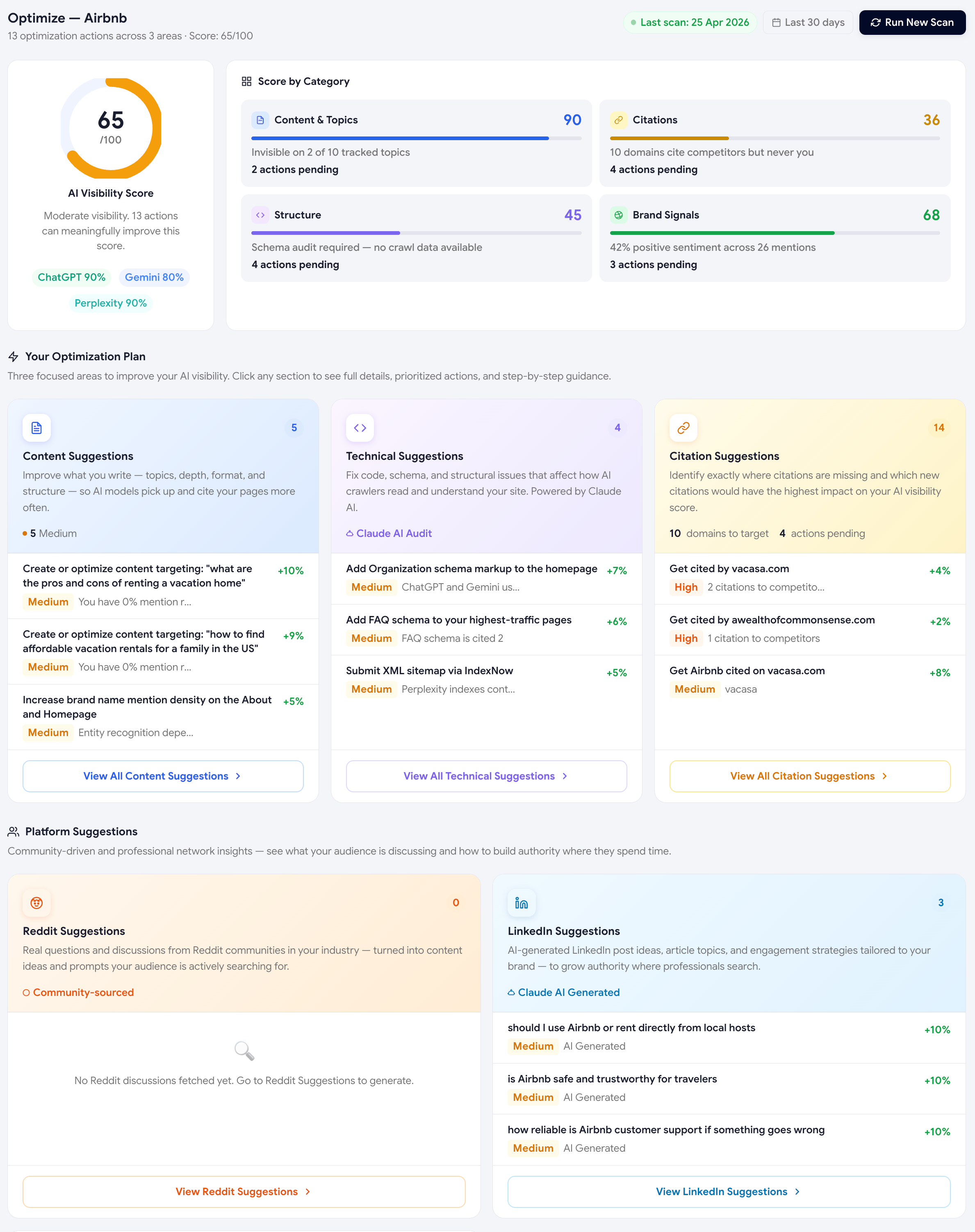
The Optimization Plan view
The Optimization Plan ties every recommendation back to the prompts it'll improve and the demand at stake — so you always know whether a fix is worth the effort.
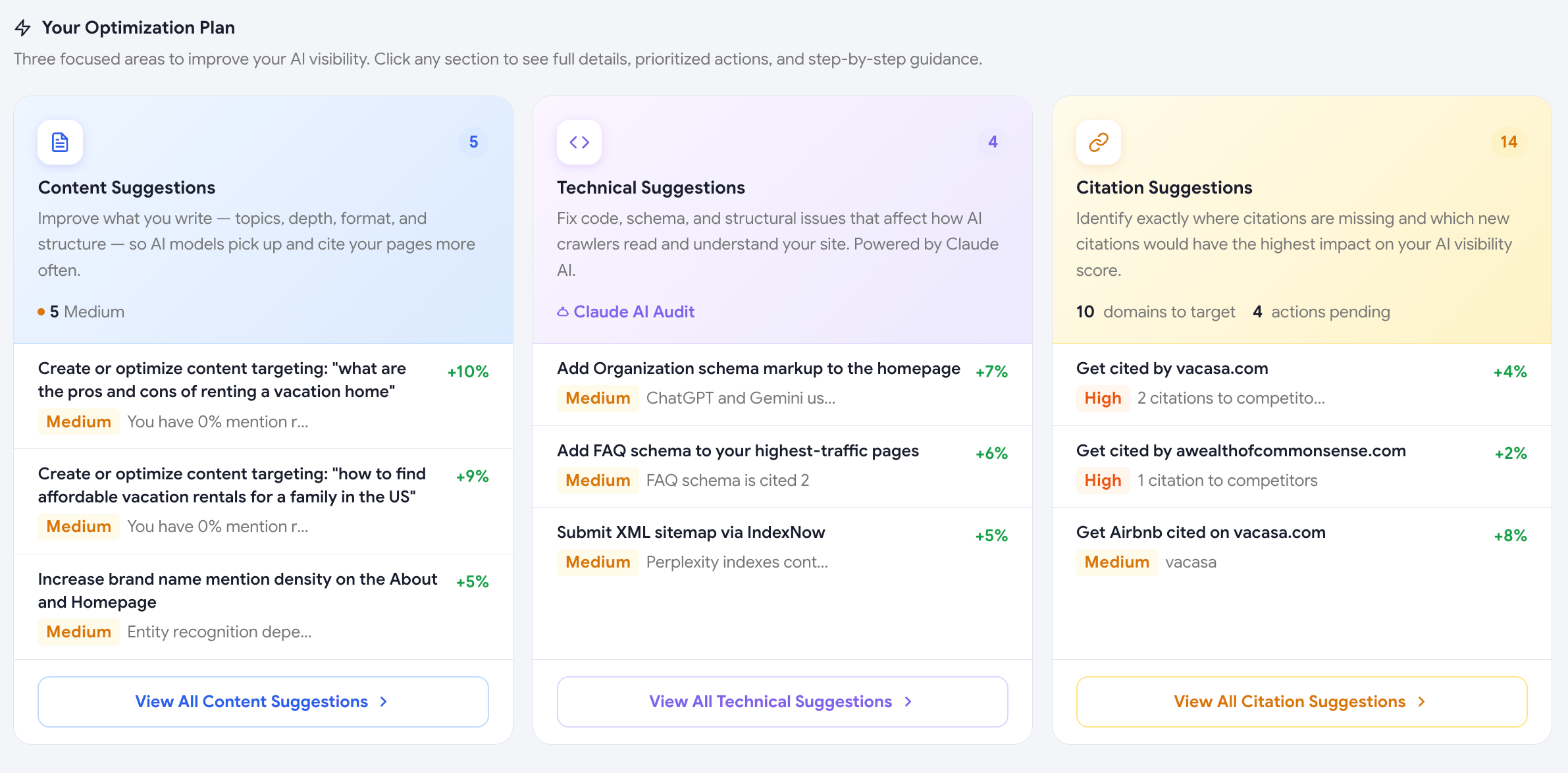
How recommendations are prioritised
Inside every spoke, recommendations are sorted by impact — the estimated points your Visibility Score could gain if you complete that action. Impact is computed from:
- How often the related signal appears in your data (frequency)
- How big the score gap is on that signal (delta)
- How easy the action is to ship (effort)
Don't try to clear every recommendation — diminishing returns kick in fast. Pick the top 3 actions in 1–2 spokes each sprint and focus on shipping them.
Marking actions as done
Every recommendation has a status field (To do · In progress · Done · Ignored). When you mark an action "Done", Scout watches for the related signal in your next scans and tells you whether the score actually moved — closing the feedback loop.
The Audit-driven track (Premium)
On Premium plans, the Optimize Hub includes a sixth channel: the AI Audit Agent. The Audit crawls your live website and produces technical recommendations specifically for AI crawlers — schema, FAQ blocks, semantic HTML, and so on. Audit recs flow into the Technical Suggestions spoke and are tagged with an "AI Audit" badge.
Was this page helpful?
Thanks for the feedback — we read every response.