
Reports
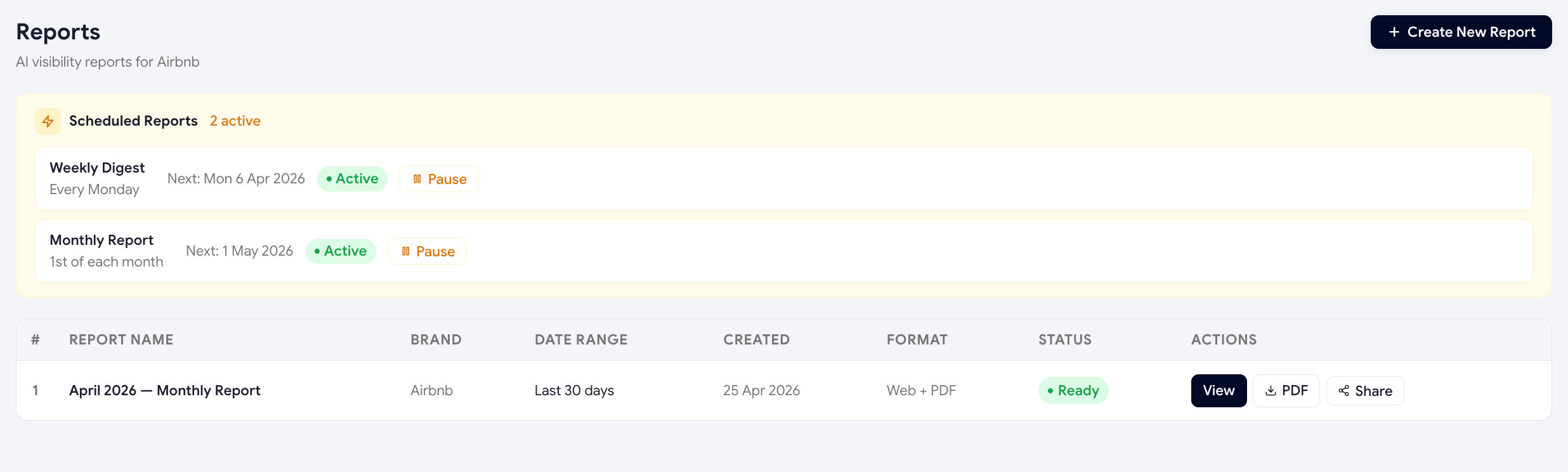
Reports are the share-able, export-friendly version of your dashboard. Generate one before a marketing review, a board update, or a client meeting and you've got the entire AI visibility story in a single page.
Generating a report
-
Sidebar → Reports
You'll see a list of any past reports plus a "+ Generate report" button.
-
Pick a date range
Default is "last 30 days". You can pick any custom range covered by your scan history.
-
Choose what to include
Toggle sections on/off — Visibility Score, sentiment, per-model breakdown, top citations, top competitors, Optimize Hub progress.
-
Click Generate
Scout assembles the report in a few seconds and opens it in a new tab.
What's in a report
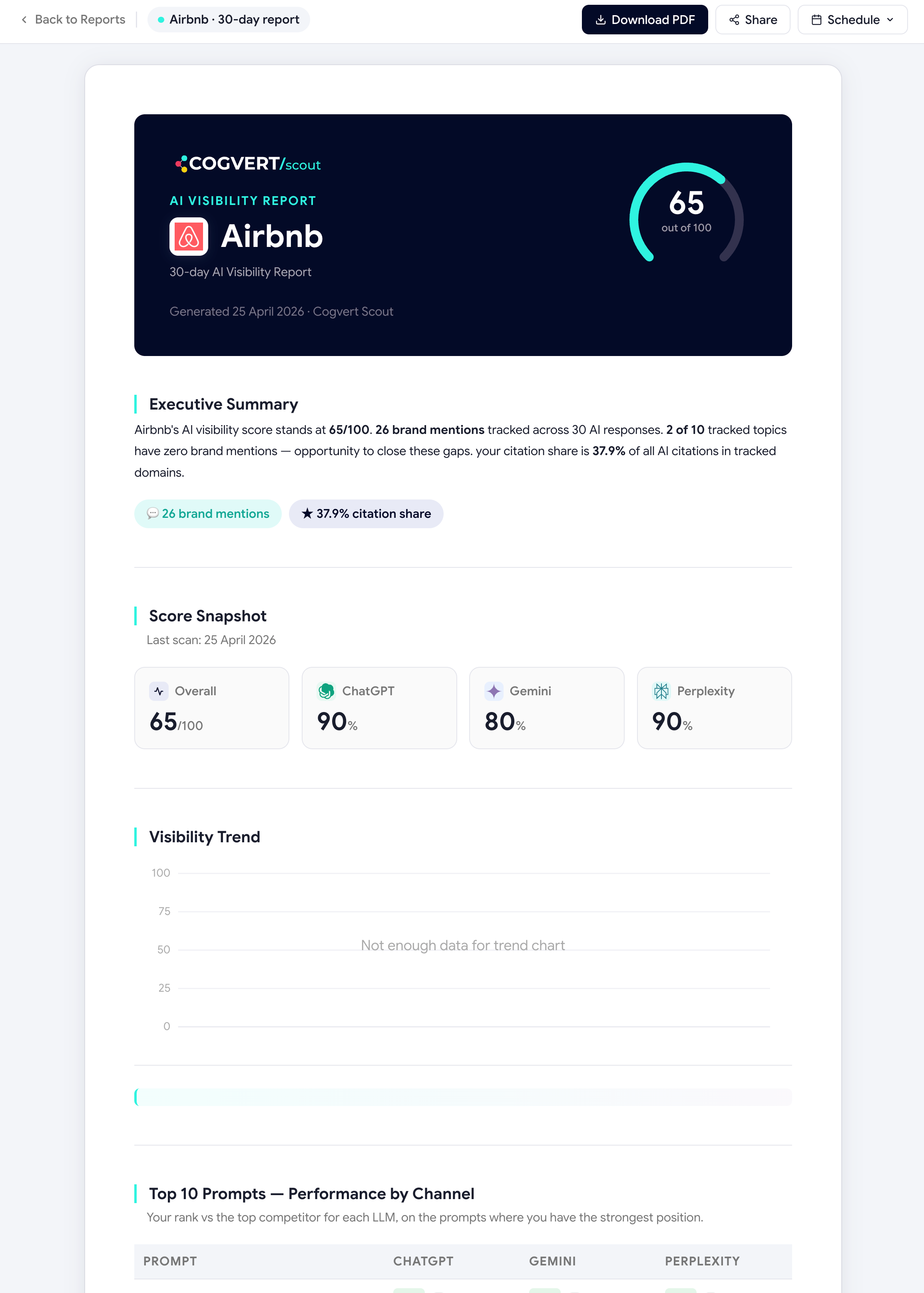
- Headline score with trendVisibility Score now vs at the start of the period, with a percentage delta.
- Pillar breakdownHow each of the 4 score components moved.
- Per-model performancePer-engine scores side by side.
- Top topicsBest and worst-performing topics in the period.
- Competitor leaderboardShare-of-voice across tracked competitors.
- Top cited domainsThe 10 most-cited sources in your category.
- Optimize progressActions completed during the period and the score impact they delivered.
Sharing & exporting
Once a report is generated, you can:
- Copy a public read-only URL (no Scout login required to view).
- Export to PDF (browser print → save).
- Email the link directly from the report header.
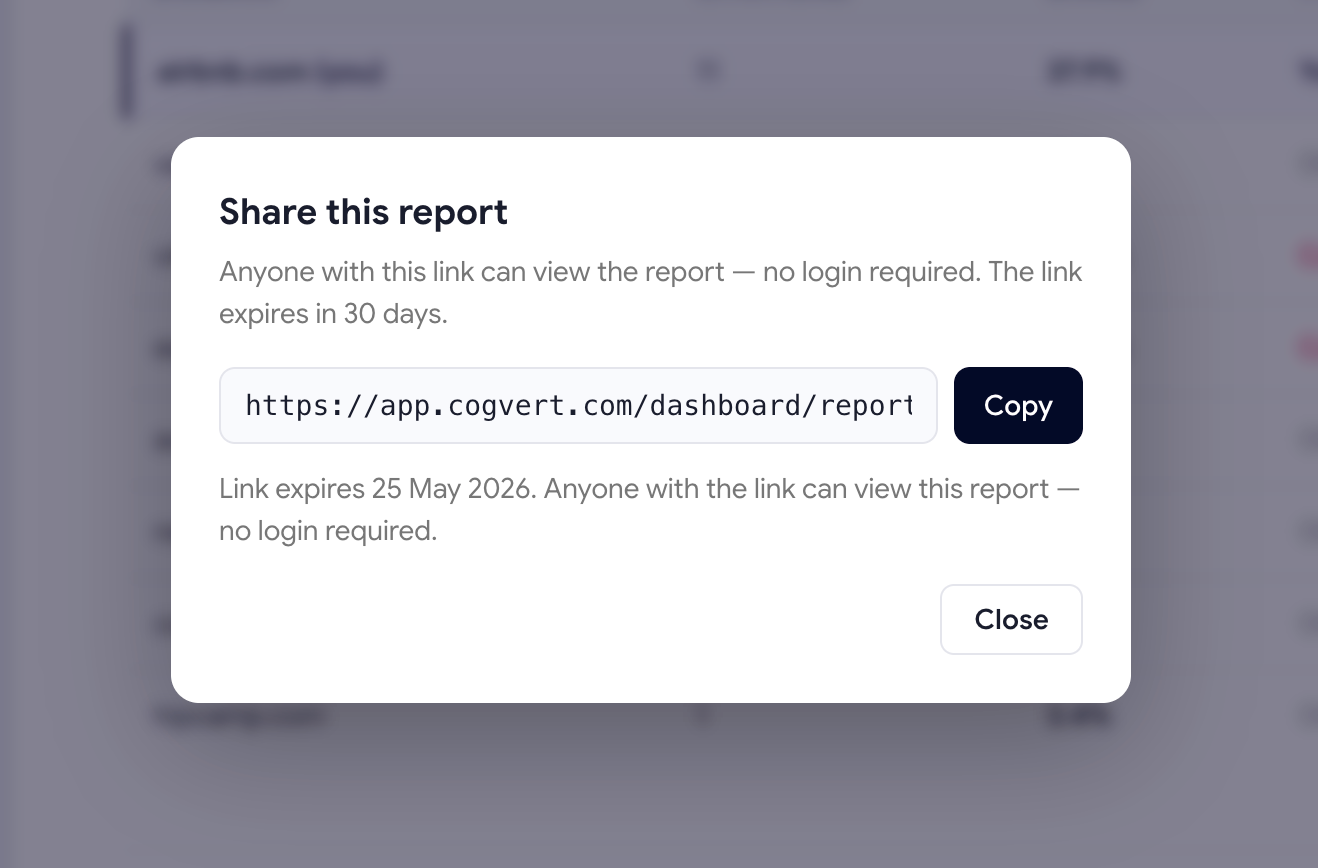
Public links use a long random token, not a sequential ID, so they can't be guessed. You can revoke a link at any time from the Reports list — once revoked, the URL stops working immediately.
Scheduled reports (Growth+)
On Growth and Premium plans, you can schedule a report to be generated and emailed automatically every Monday or the 1st of the month. Set it once and stop manually generating.
Was this page helpful?
Thanks for the feedback — we read every response.